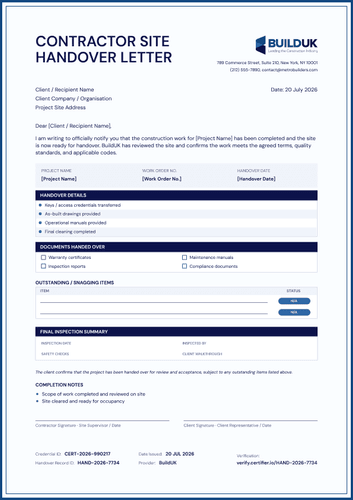
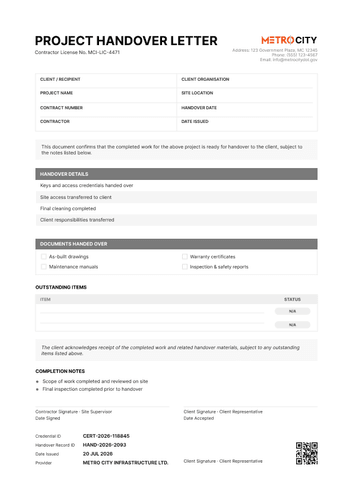
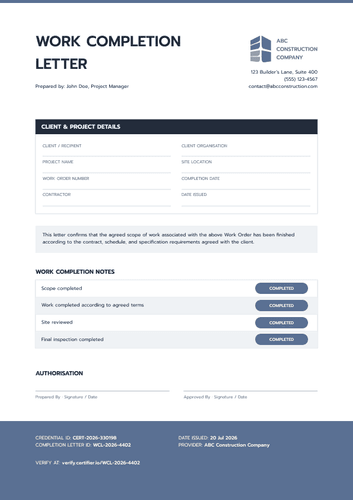
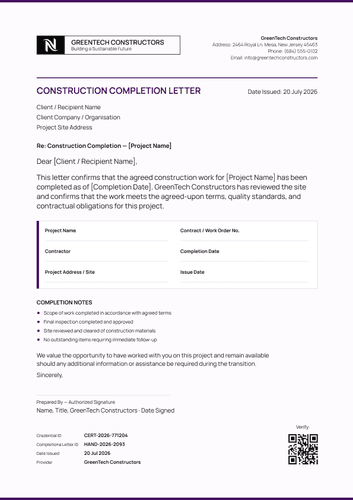
Poseidon blue construction completion letter template
Close out a contract with the three dates that matter, shown as a timeline: construction started, substantial completion reached, final completion signed off. Issue this construction completion letter and the matching certificate as a single credential set.
Customize this template for free
Email and export in bulk
Track recipient engagement
Download in
Don't have Certifier account? Sign up
Free Poseidon blue construction completion letter template
Two completion dates sit in most construction contracts and confusing them is expensive. Substantial completion is when the client can use the building and final completion is when the last obligation closes. This free completion letter template shows both on a timeline that starts the day construction began.
Construction contractors, project managers, owners, clients, contract administrators, engineers, facilities teams, and closeout coordinators use it to close a contract on the record.
The clean layout includes eight project fields in a grid, a one-sentence confirmation, the milestone track, the inspection summary, and two signatures.
Closing out a portfolio of contracts? Bring the project data in from a spreadsheet or connect your systems so each letter carries the right dates and figures. Everyone holds a personal verification link that an owner, lender, or auditor can open without going through you.
What is a construction completion letter?
A construction completion letter is a formal statement that the contracted scope of work is finished and ready for the client to accept. It records a position, but whether that position discharges an obligation is a matter for the contract.
One contract fits on one page, from the project grid to the completion letter ID and QR square at the foot. The matching certificate of construction completion carries the compliance statement and the remaining balance in full. This editable construction completion letter is available in portrait orientation, in both A4 (21 x 29.7 cm) and US Letter (8.5 x 11 in) sizes.
Sign up for a free Certifier account to start customizing your construction completion letter.
What should a construction completion letter include?
Enough that an auditor reading it in five years can reconstruct the closeout. The letter is built with the following editable fields:
Static fields
- Project Grid Labels: Eight headings across two columns, from client and recipient through to date issued.
- Confirmation Statement: The tinted block confirming the contracted scope is complete and ready for client acceptance.
- Project Timeline Track: The three milestone markers are begin construction, substantial completion, and final completion.
- Final Inspection Labels: Inspection date, inspected by, safety checks, and quality review.
- Final Completion Notes: The three closing bullets on code compliance, approvals obtained, and outstanding items.
- Signature Lines: Contractor and owner or client, each with a date.
- Footer ID Labels: Fixed headings for the credential ID, completion letter ID, issue date, and provider.
Dynamic fields (automatically populated by Certifier)
- Client or Recipient: The individual to whom the letter is issued.
- Client Organization: The owner or developing body.
- Project Name: The contract being closed.
- Project Address or Site: Where the work was carried out.
- Contract Number: Your commercial reference (e.g., CC-01-25).
- Contractor: The organization completing the works.
- Completion Date & Date Issued: When the works finished and when the letter was released.
- Company Header Block: Logo, address, phone, and contact email.
- Milestone Dates: The three values plotted along the timeline.
- Final Inspection Values: Date, inspector, safety check outcome, and quality review result.
- Credential ID: Certifier's reference for the record (e.g., CERT-2026-604117).
- Completion Letter ID: The letter's own number (e.g., CCL-2026-8825).
- Provider: The issuing organization named in the footer.
- QR Code: Square a reader scans to open the hosted record.
This list describes this sample design rather than a contractual form. Rename, move, or remove fields in Certifier's design builder to fit the closeout process your contracts run on.
How to issue a construction completion letter
Before you begin, confirm the work meets the contractual definition of completion you are certifying against and that the inspections named have actually taken place. Then follow these five steps:
- Configure the design for your contracts — Pick the size and orientation, add your company band, and mark the dynamic fields for the project grid, the milestone dates, and the inspection summary.
- Connect the matching completion certificate — Attach the certificate of construction completion so that the letter and the formal certificate, with its compliance statement and balance, issue together.
- Import your contract data — Pull it from your project controls system through our integrations. Contractors issuing site training credentials can import them from Canvas, Moodle, or LearnDash into the same workspace. Your contract data is in place in under a minute.
- Issue, deliver, and verify — Delivery to the client contact happens automatically. A lender releasing funds or an auditor checking closeout scans the QR square rather than requesting a certified copy.
- Monitor engagement and amend records — The Credential Repository tracks opens, views, downloads, and shares against each letter. Correcting a milestone date takes no reissue and the live record updates immediately.
Available completion letter template formats to customize
Edit and issue the template online with Certifier
When created in Certifier, each letter includes its own contract data and a hosted, verifiable record that outlives the project team on both sides.
Download the completion letter template in Word
Circulating a draft for a contract administrator or an engineer to review before it goes out? Mail yourself the ZIP and work offline with the document in portrait and landscape orientations, in A4 and US Letter sizes.
PDF document export
Closeout files and lender packs want the document itself, so the print-ready PDF can be downloaded from the delivery email or the credential page.
Who issues construction completion letters?
Construction contractors and project managers
Two named dates on one timeline stop the substantial and final distinction being argued in email months afterward.
Owners, clients, and contract administrators
The quality review field records a separate check from the safety inspection, which is useful for contracts where those sign-offs sit with different people.
Engineers, facilities teams, and closeout coordinators
A completion letter ID and a QR square make the document findable and checkable long after the site team has moved on.
Frequently asked questions
Certifier templates are provided for general informational and design purposes only. They do not constitute legal, regulatory, accreditation, or academic-recognition advice and are not guaranteed to satisfy the requirements of any institution, recognition body, regulator, or jurisdiction. Using this template does not by itself make a document an official diploma supplement or prove a qualification. The issuing organization is responsible for verifying the content, authority, approvals, and suitability of every document before use. This template is not an official Europass document and does not guarantee recognition of a qualification.