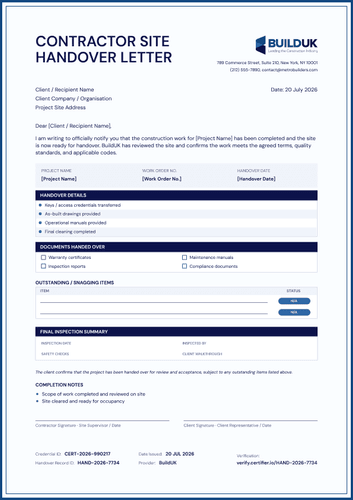
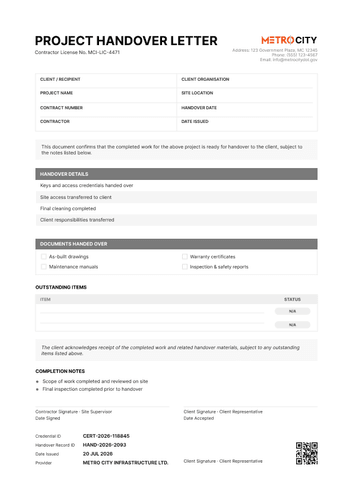
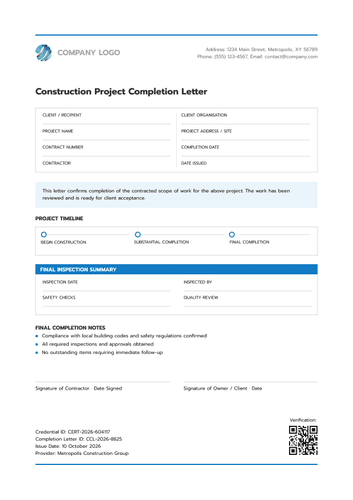
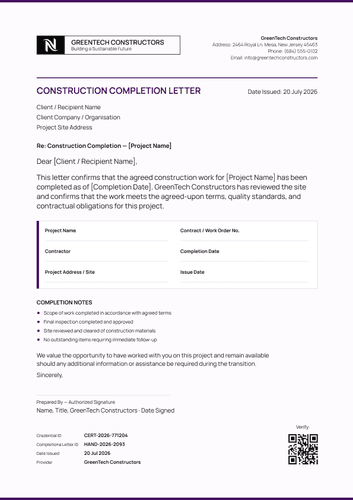
Poseidon blue work completion letter template
Adapt this Poseidon blue work completion letter online or receive the editable Word package. Record project details, work statuses and dual authorization.
Customize this template for free
Email and export in bulk
Track recipient engagement
Download in
Don't have Certifier account? Sign up
Free Poseidon blue work completion letter template
This Poseidon blue work completion letter template gives contractors and project teams a formal way to record that an agreed scope of work has been completed. The project table keeps the work-order reference beside the site and completion dates.
The Poseidon blue styling supports a professional closeout record without crowding the evidence. A Client & Project Details grid is followed by four Work Completion Notes, each with a visible COMPLETED status.
Open the design in Certifier to replace the contractor identity and configure project-specific fields. After approval, pair the letter with a related completion certificate when both should be issued together.
Import recipient details from a spreadsheet or sync them from the system your organization already uses. Each participant gets a unique verification link to present to an employer or another school.
What is a work completion letter?
A work completion letter confirms that an authorized issuer considers a defined scope of work complete as of a stated date. It identifies the client and project before recording the contractor responsible for the work.
The design can serve as an editable work completion or handover letter. Its structured notes show whether the scope, agreed terms and review stages have been marked complete.
The design uses standard A4 dimensions (21 x 29.7 cm) and also works in US Letter format (8.5 x 11 in). All you need is a free Certifier account to customize, edit and issue an approved record online.
When issued online, the letter can connect to Certifier's verifiable credentials features. The responsible project parties must verify every statement before release.
What does this Poseidon blue work completion letter include?
A work completion letter should reflect the approved project closeout record. The following elements are visible in the supplied Poseidon blue design:
A work completion letter should reflect the approved project closeout record. The following elements are visible in the supplied Poseidon blue design:
Static layout elements
- Issuer header and prepared-by area: Fixed positions hold the contractor logo and contact details. A Prepared By line identifies where the responsible person's name and title appear.
- Client and project details grid: A labeled section organizes Client / Recipient, Client Organisation, Project Name, Site Location, Work Order Number, Completion Date, Contractor and Date Issued.
- Work completion notes: Four structured rows cover Scope completed, Work completed according to agreed terms, Site reviewed and Final inspection completed. A status pill appears beside each note.
- Dual authorization and verification footer: Prepared By and Approved By signature positions each include a date. Credential ID, Completion Letter ID, Verify At URL, Date Issued and Provider create the document-control footer.
Dynamic fields (automatically populated after mapping in Certifier)
- Client, project and work-order details: Client / Recipient and Client Organisation identify the receiving party. Project Name, Site Location and Work Order Number tie the letter to one approved scope.
- Contractor and completion timing: Contractor identifies the company responsible for the work. Completion Date records when the scope was finished, while Date Issued records when the letter was produced.
- Completion-note statuses: The four changing status values show whether the scope, agreed terms, site review and final inspection are marked COMPLETED. They should match the project's approved closeout evidence.
- Authorization and verification data: Prepared By and Approved By names, titles, signatures and dates document review. Credential ID, Completion Letter ID, Verify At URL, Provider and Date Issued connect the letter to its issued record.
These changing fields are visible in the supplied poseidon blue work completion letter and are not guaranteed to be pre-mapped. Configure them in Certifier’s design builder and use only completion data approved under the project's closeout process.
How to issue the poseidon blue work completion letter
Use this four-step controlled workflow:
- Customize the design and your branding — Open the Poseidon blue letter in the online editor. Choose A4 or US Letter and the required orientation. Add the client's name, logo and contact details, then adapt the completion statements to the approved scope.
- Bundle it with a matching companion document — Pair the letter with its related design from the certificate template gallery. Check that Project Name, Work Order Number and Completion Date agree across both documents.
- Connect your tools — Sync project and client data from Google Sheets or connect the approved business records through HubSpot. Review all integrations if the source data is stored elsewhere.
- Issue, deliver, and verify — Check the Client & Project Details and confirm that every Work Completion Notes status matches the approved closeout evidence. Complete the required authorization, then issue the letter with its verifiable credential link. Test the Verify At URL before delivery.
Available poseidon blue work completion letter formats
Edit and issue the Poseidon blue work completion letter online
Use Certifier to update contractor branding and map project-specific data. The issued letter can stay connected to its credential page and companion document. Review the completion statements before approval.
Receive the Poseidon blue work completion letter in Microsoft Word
Enter an email address in the catalog popup to receive the available Word package. The offline file can serve as an editable work completion or handover letter Word template for local review. It does not create a verified record by itself, so obtain the required project approval after editing.
Export an issued Poseidon blue work completion letter as PDF
Recipients may export an issued letter from their credential page. Issuers may export PDFs within plan limits. The PDF should preserve the completion notes, authorization data and Verify At URL.
Who issues work completion letters?
Contractors and specialist service providers
Contractors prepare work completion letters once the agreed scope is ready for closeout. Specialist providers may use the same design for installation or maintenance work. An authorized signatory should approve the record.
Project managers and engineers
Project managers review the work-order reference and completion notes. Engineers may provide inspection evidence where the project requires it. Facilities teams can retain the approved letter in the closeout file.
Owners and contract administrators
The receiving party may use the letter during handover or final review. Contract administrators coordinate any required response and unresolved items. Acceptance rights remain governed by the contract and applicable procedure.
Frequently asked questions
Certifier templates are provided for general informational and design purposes only. They do not constitute legal, regulatory, accreditation, or academic-recognition advice and are not guaranteed to satisfy the requirements of any institution, recognition body, regulator, or jurisdiction. Using this template does not by itself make a document an official diploma supplement or prove a qualification. The issuing organization is responsible for verifying the content, authority, approvals, and suitability of every document before use. This template is not an official Europass document and does not guarantee recognition of a qualification.