Formal accreditation CPD log template
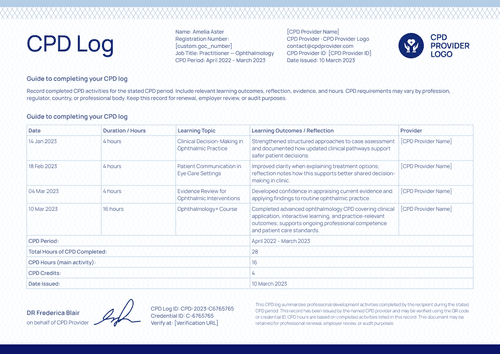
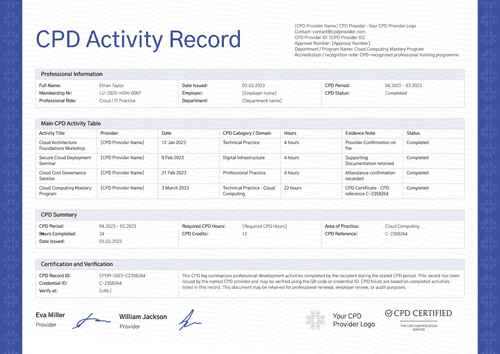
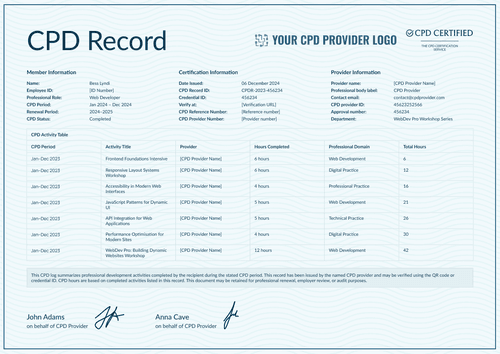
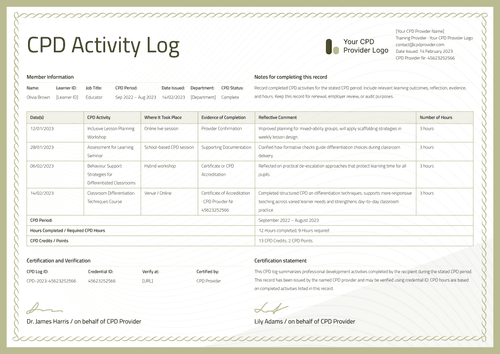
Document a CPD period for an accredited program, with each activity sorted by practice area and the accreditation note stated on the record itself.
Customize this template for free
Email and export in bulk
Track recipient engagement
Download in
Don't have Certifier account? Sign up
Free formal accreditation CPD log template
This free CPD record template adds an accreditation note to the header, then sorts each activity by practice area so a reviewer can see the balance of a registrant's year, not just its total.
The design serves professional associations, training providers, regulated professionals, employers, and credential administrators working under a recognized scheme.
A navy frame with corner detail encloses cream paper, while the title is spelled out in full as "Continuing Professional Development Log", with a serif face that carries the page. It reads like a document from a professional body.
Issuing across a whole register? Import activities from a spreadsheet or connect your LMS so every registrant is covered before the renewal window. Each one receives a personal verification link they can pass to a regulator or a registration committee.
What is an accreditation CPD log?
A CPD log records the professional development a registrant completed over a stated period. An accreditation log adds one thing: it names the recognized scheme under which the activities sit, so a reader knows the learning was not solely self-directed.
The record runs to a single page. It begins with the provider block and the accreditation note and ends with two authorized signatures. The template is available in landscape, in A4 (21 x 29.7 cm) and US Letter (8.5 x 11 in) sizes.
Bundle it with the matching certificate of accreditation and the pair covers both jobs: the certificate names the qualifying program, while the log accounts for the period. To customize this accreditation CPD log, sign up for a free Certifier account.
What should an accreditation CPD log include?
A registration committee reads for scope as much as volume. Both are covered by the elements below, each editable in the online builder:
Static fields
- Requirements Text: The standing note under "Professional development requirements" explaining what to record and why to keep it.
- Section Headings: Registrant information, CPD activity table, and certification and verification.
- Activity Table Headers: Date, CPD activity, learning outcome, evidence, practice area, and CPD hours.
- Signature Areas: Two signing spaces, both attributed to the CPD provider.
Dynamic fields (automatically populated by Certifier)
- Registrant Name: Labeled field for the recipient (e.g., Emily Bronte).
- Registration Number: The registrant's number on the professional register.
- Professional Role: Field describing the registrant's practice (e.g., Literature / Education Practice).
- Organization or Employer: Field naming where the registrant works.
- CPD Period: The reporting year covered by the log (e.g., January 2023 – December 2023).
- Date Issued: When the log was produced and released.
- Provider Block: Provider name, professional body line, contact email, and provider ID.
- Accreditation Note: Header field naming the recognized scheme (e.g., CPD-recognized literary studies program).
- Activity Date & Name per Row: Per-row fields for the activity and its date (e.g., 16 Jan 2023, Romantic Contexts in Victorian Fiction Seminar).
- Learning Outcome per Row: Text field recording what the activity produced in practice.
- Evidence per Row: Field naming the proof held (e.g., Provider Confirmation, Attendance confirmation).
- Practice Area per Row: Category field sorting activities by domain (e.g., Literary Studies, Teaching Practice).
- CPD Hours per Row: Hours claimed against each line of the table (e.g., 14 hours).
- CPD Log ID & Credential ID: Two codes carried in the certification block (e.g., CPD-2023-C457294).
- CPD Reference Number: Scheme-side reference shared with the companion certificate.
- Verify-at Address: Live link that opens the hosted record for a committee.
Read the list as a map of this sample artwork, not a rulebook. Fields can be renamed, added, or dropped in Certifier's design builder until the record matches your scheme. Three text custom attributes come with the free plan, while the Professional plan raises that to ten across all types, which is what a six-column table needs.
How to issue an accreditation CPD log
Before you begin, confirm your scheme's recognition is current and the activities are approved under it. Here’s how to issue an accreditation CPD log using Certifier:
- Prepare the design for your scheme — Choose the size and orientation, then place your provider block, accreditation note, and both signatures. Mark the dynamic text blocks for registrant details, activity rows, and hours.
- Attach the matching accreditation certificate — Link the log to the certificate of accreditation so the qualifying program and the period record are issued as one credential.
- Load registrant data — Connect your register directly or pull activities from Canvas, Moodle, or LearnDash via our native integrations. Loading your data into the design takes moments.
- Issue, deliver, and verify — Registrants are emailed their log automatically. A committee that needs to confirm one should follow the verification link rather than write to your office.
- Monitor engagement and amend records — Email opens, credential views, downloads, and shares are recorded in the Credential Repository for every accreditation log. Amending a registrant's details takes no reissue, and the public record shows the correction immediately.
Available CPD log template formats to customize
Edit and issue the template online with Certifier
Open the design in Certifier and every registrant gets their own record, delivered to their inbox and published on a credential page that a committee can check anytime.
Download the CPD log template in Word
Working from your own files or circulating a draft before the scheme signs off? Send the ZIP file to your own address and work offline, with portrait and landscape documents in A4 and US Letter sizes.
PDF document export
The print-ready PDF is available in either the delivery email or the credential page.
Who issues accreditation CPD logs?
Professional bodies running recognized schemes
Suited to schemes where the accreditation is part of what the record proves.
Accredited training providers
The practice area column shows that a registrant covered the breadth required by the scheme.
Employers and credential administrators
Built for registers that ask how learning was distributed, not only how much.
Frequently asked questions
Certifier templates are provided for general informational and design purposes only. They do not constitute legal, regulatory, accreditation, or academic-recognition advice and are not guaranteed to satisfy the requirements of any institution, recognition body, regulator, or jurisdiction. Using this template does not by itself make a document an official diploma supplement or prove a qualification. The issuing organization is responsible for verifying the content, authority, approvals, and suitability of every document before use. This template is not an official Europass document and does not guarantee recognition of a qualification.