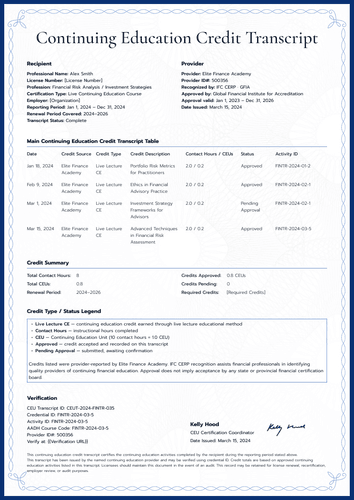
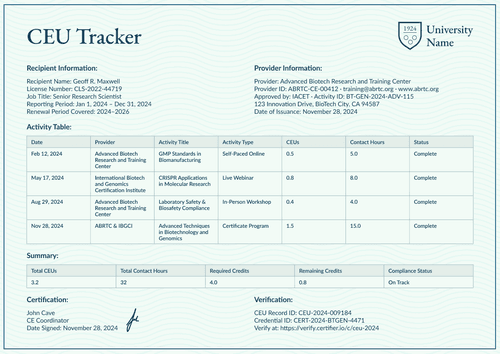
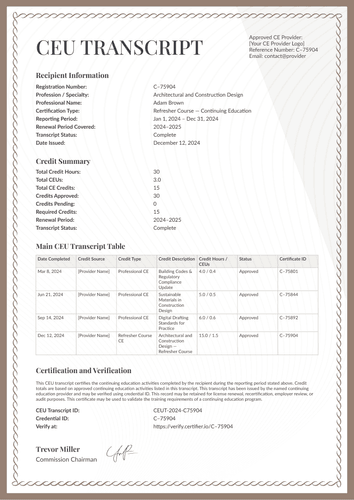
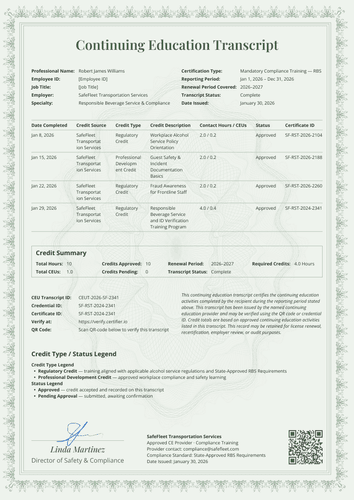
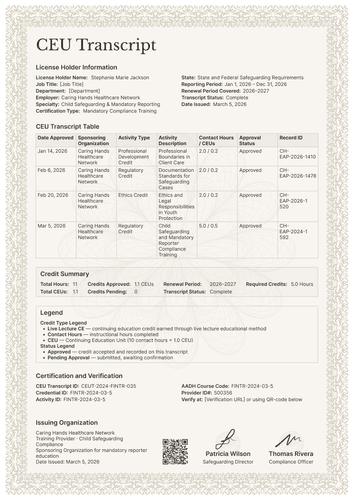
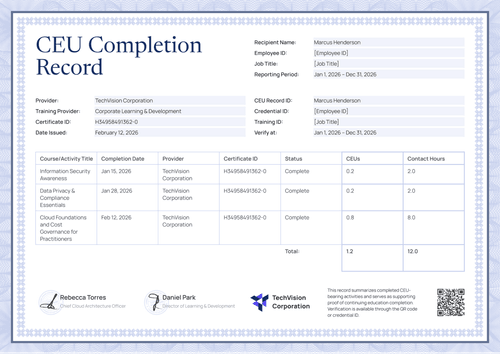
Professional green continuing education log template
Give members a clean, signed log of their professional development: every activity with its sponsor, duration, credits, and a note that explains it. One verifiable page per person, per period.
Customize this template for free
Email and export in bulk
Track recipient engagement
Download in
Don't have Certifier account? Sign up
Free professional green continuing education log template
This free continuing education log template gives every activity its own row and every row its own note, so the record explains itself: what the training was, who sponsored it, how long it ran, what it earned, and why it counted.
It suits continuing education providers, professional associations, training teams, universities, and credential administrators who keep member records that must survive a license review.
The design uses a dark green dashed border with an accrediting organization mark at the top. Member and provider details sit in two clean columns, the activity table fills the middle, and totals, verification, and two signatures close the page.
A matching certificate of completion covers the single course, with a verification code and training time stated plainly.
Have a full membership to report on? Import the activity records from a spreadsheet or connect your LMS and every log is ready before renewal season begins. Each member receives a personal verification link that they can share with a licensing reviewer or an employer.
What is a continuing education log?
A continuing education log is a running record of one person's professional development activities over a reporting period. Where a summary shows totals, a log shows the trail, including dates, sponsors, durations, credits, and context, entry by entry.
This design closes each log with total credits, total contact hours, the renewal period, and a subtotal line, then states the verification IDs. Both A4 (21 x 29.7 cm) and US Letter (8.5 x 11 in) formats are included, in portrait and landscape orientations.
Certifier issues the log along with its matching certificate as a single credential under a single link. Sign up for a free account to customize the log and issue it to your members.
What should a continuing education log include?
If a reviewer asks, "What was this activity?", the log should already answer that question. This continuing education log template includes the following editable elements:
Static fields
- Activity Table Headers: Column set for the log: date, activity, sponsoring organization, duration, credits and hours earned, and notes.
- Totals Labels: Fixed labels for total credits earned, total contact hours, renewal period, and subtotal.
- Purpose Note: Standing text advising that the log be kept for license renewal or audit purposes.
- Signature Areas: Two labeled signing spaces (e.g., Course Instructor; Program Director).
Dynamic fields (automatically populated by Certifier)
- Member Name & Member ID: Identity fields for the member (e.g., CMA-2021-33842).
- Job Title & License Number: Professional identity fields (e.g., Management Accountant; RN-2024-10582).
- Reporting & Renewal Periods: Date-range fields for the record and the renewal cycle (e.g., Jan 1 – Dec 31, 2024; 2024–2025).
- Provider Name & Provider ID: Fields naming the issuing program (e.g., PAEP-CE-00831).
- Provider Contact Email & Date Issued: Contact and issue-date fields for the record.
- Activity Title & Date per Row: Row-level fields naming each activity and when it was completed.
- Sponsoring Organization per Row: Field allowing external providers to sit beside your own.
- Duration per Row: Value field recording time spent on each activity (e.g., 40 hours).
- Credits & Hours Earned per Row: Paired value fields for each entry (e.g., 4.0 CEU / 40.0 hrs).
- Notes per Row: Short text field giving each activity its context (e.g., live webinar; ethics requirement fulfilled).
- Total Credits & Contact Hours: Period totals closing the log (e.g., 5.5 CEUs; 55 hours).
- Subtotal Line: Running figure restating the period in a second form (e.g., 5.5 CEUs, 55 hours).
- Credential ID & CEU Record ID: Verification tracking codes (e.g., B-748596).
- Verify-at Address: Live verification page link for the issued log.
The list describes the sample rather than a standard. Change any field in Certifier's design builder and build the template according to your needs.
How to issue a continuing education log
Here’s how you can issue a continuing education log in five steps using Certifier:
- Customize the design for your association — Set the size and orientation, then add your accrediting mark and both signatures. Choose the dynamic text blocks for member details, activity rows, and totals.
- Bundle it with the matching certificate of completion — Link the log to the certificate of completion so that the course award and the period log are generated in the same run.
- Upload member data — Whether you connect your membership system or use our native integrations with LMS apps like Canvas, Moodle, and LearnDash, filling the table takes less than a minute.
- Issue, send, and verify — Certifier automatically issues and emails each member their personalized log. Recipients can download the document or share it online through its verification link.
- Review engagement and fix errors — Use the Credential Repository to monitor email opens, credential views, downloads, and shares for every log. Correct a member's entry without reissuing, and the public record updates in real time.
Available continuing education log template formats to customize
Edit and issue the template online with Certifier
Use Certifier to edit the design so that every member ends the period with a personal log, sent to their email, and hosted on a credential page that stays open to reviewers.
Download the continuing education log template in Word
Prefer working in your own files, or keeping a copy in the association's records? Simply enter your email address to receive a ZIP file with the customizable Word documents in both portrait and landscape orientations, in A4 and US Letter sizes.
PDF document export
Once issued, any log doubles as a print-ready PDF that members and program coordinators can pull straight from the delivery email or the credential page.
Who issues continuing education logs?
Professional associations
Associations issue the log as each member's period record, with the notes column carrying the context that reviewers usually phone about.
Continuing education providers and universities
Providers issue it alongside course certificates so learners hold both the award and the running record.
Training teams and credential administrators
Administrators use it when regulators want narrative detail rather than just totals.
Frequently asked questions
Certifier templates are provided for general informational and design purposes only. They do not constitute legal, regulatory, accreditation, or academic-recognition advice and are not guaranteed to satisfy the requirements of any institution, recognition body, regulator, or jurisdiction. Using this template does not by itself make a document an official diploma supplement or prove a qualification. The issuing organization is responsible for verifying the content, authority, approvals, and suitability of every document before use. This template is not an official Europass document and does not guarantee recognition of a qualification.