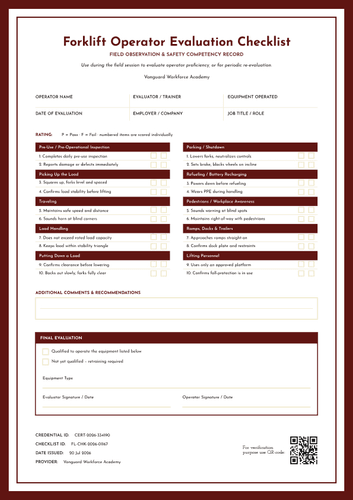
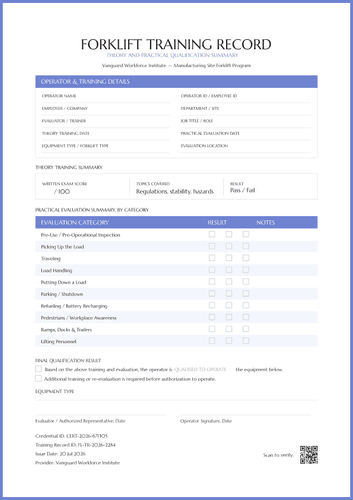
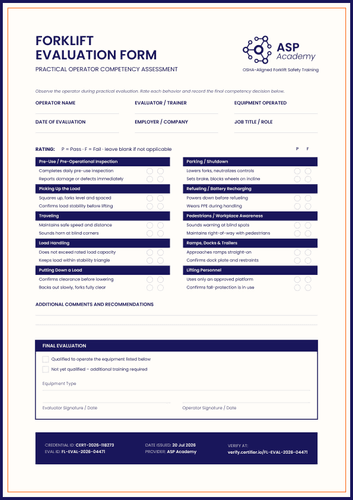
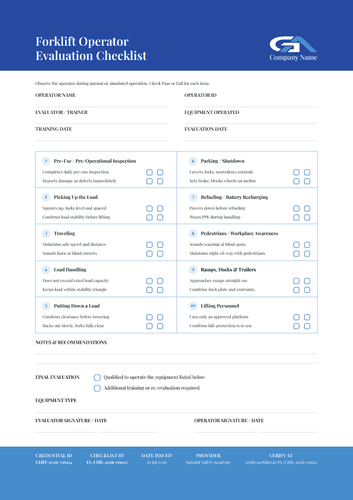
Professional orange forklift evaluation form template
Customize this orange forklift evaluation form using Certifer’s online builder. Assess an operator during live or simulated running, mark each behavior with a green pass or red fail, and close with a decision anyone can read at a glance.
Customize this template for free
Email and export in bulk
Track recipient engagement
Download in
Don't have Certifier account? Sign up
Free professional orange forklift evaluation form template
Not every assessment can happen on a live floor. Warehouses run to a schedule, and pulling a machine out of rotation to watch someone drive it isn’t always possible.
This free forklift evaluation form template accepts either setting. The instruction line covers normal or simulated operation, so an assessment staged in a quiet aisle still produces a valid record.
Safety training providers, employers, equipment trainers, compliance teams, and training coordinators use it when operations and assessment must share the same floor.
Results are color-coded rather than lettered. The layout includes a green dot for pass, a red one for fail, ten cards with orange accent bars, and a dark final-decision block that a reviewer's eye lands on first.
Certifying a shift or a whole site? Import the operator list from a spreadsheet or connect your LMS so every assessment gets issued as its own record. Each operator gets a personal verification link that a shift lead can check before assigning a machine.
What is a forklift evaluation form?
A forklift evaluation form is a practical assessment of how someone actually handles equipment, recorded behavior by behavior, and closed with a signed decision.
Everything fits on one page, from the operator block at the top to the QR code at the bottom. The matching forklift operator certificate carries the outcome, naming the training duration, the site, and the date the certification expires.
This template is available in a portrait orientation, in both A4 (21 x 29.7 cm) and US Letter (8.5 x 11 in) sizes. All you need to start customizing it is a free Certifier account.
What should a forklift evaluation form include?
This document should include enough detail that a supervisor trusts the result without having watched it. Here are the elements included in the template:
Static fields
- Instruction Line: The note directing the evaluator to observe during normal or simulated operation.
- Rating Key: The green pass and red fail legend.
- Operator Detail Labels: The six boxed headings across the top of the form.
- Category Cards: Ten cards from pre-use inspection through to lifting personnel.
- Behavior Items: Twenty observable behaviors, two per card.
- Comments Heading: The "Additional Comments & Recommendations" label with its ruled space.
- Final Evaluation Block: The two options, qualified or additional training and re-evaluation required.
- Signature Lines: Evaluator and operator, each dated.
Dynamic fields (automatically populated by Certifier)
- Operator Name: Field naming the person assessed.
- Employer or Company: Who they work for.
- Evaluator or Trainer: The person carrying out the observation.
- Equipment Operated: The machine used in the assessment.
- Date of Evaluation: When it took place.
- Job Title or Role: The operator's usual role on site.
- Provider Header Block: Training organization name, logo, and accent bar.
- Pass and Fail Marks: Color-coded results against all twenty behaviors.
- Comments Text: Written observations and any recommendations.
- Equipment Type: The machine class the decision covers, recorded in the final block.
- Credential ID: Certifier's code for the record (e.g., CERT-2026-227761).
- Eval ID: The assessment's own reference (e.g., FL-EVAL-2026-08823).
- Issue Date and Provider: Footer values for release date and issuing organization.
- QR Code: Scannable square that opens the hosted record.
Treat this list as a design description, not a strict standard. Fields can be renamed, moved, or removed entirely in Certifier's design builder. Keep in mind that the QR code and expiration feature are included with the Professional plan.
How to issue a forklift evaluation form
Before you begin, confirm your evaluator is competent for the equipment being assessed and that a simulated run, if you use one, reflects the work the operator actually does. Then follow these five steps to issue the document using Certifier:
- Adapt the design to your site — Pick the size and orientation, add your provider header, and mark the dynamic fields for operator details, results, and the decision block.
- Pair it with the operator certificate — Attach the matching operator certificate so the assessment record and the credential issue in the same run.
- Import your operator list — Pull it from your workforce platform or export it from Canvas, Moodle, or LearnDash, which we integrate with natively. Your list lands in the design in moments.
- Issue, deliver, and verify — Scored records are sent to operators by email as they are issued. Anyone needing to confirm can scan the QR code, which is quicker than finding a form in a filing cabinet.
- Monitor engagement and amend records — The Credential Repository logs who opened, viewed, downloaded, and shared each record. A wrong equipment type is corrected in place, with no reissue and no version confusion.
Available forklift evaluation form template formats to customize
Edit and issue the template online with Certifier
When you create it in Certifier, every operator gets their own scored record, an emailed copy, and a hosted page that remains verifiable throughout the certification.
Download the forklift evaluation form template in Word
Assessing on a floor where phones stay in lockers? Mail yourself the ZIP file and print blank forms to mark by hand, in portrait and landscape orientations, in A4 and US Letter sizes.
PDF document export
Pull the print-ready PDF from the delivery email or from the credential page when an auditor asks for files rather than links.
Who issues forklift evaluation forms?
Safety training providers
Color-coded marks make a completed form readable in seconds, which helps when a trainer reviews a stack at the end of the day.
Employers and equipment trainers
The wording of simulated operations matters in warehouses, where taking a machine off the floor for an hour incurs a real cost.
Compliance teams and training coordinators
The re-evaluation option distinguishes an operator who needs another look from one who needs a full course, and those are different problems.
Frequently asked questions
Certifier templates are provided for general informational and design purposes only. They do not constitute legal, regulatory, accreditation, or academic-recognition advice and are not guaranteed to satisfy the requirements of any institution, recognition body, regulator, or jurisdiction. Using this template does not by itself make a document an official diploma supplement or prove a qualification. The issuing organization is responsible for verifying the content, authority, approvals, and suitability of every document before use. This template is not an official Europass document and does not guarantee recognition of a qualification.