Yellow competency skills checklist template
Tailor this yellow competency skills checklist online or receive the editable Word package. Record practical driving results and connect the assessment to its related credential in Certifier.
Customize this template for free
Email and export in bulk
Track recipient engagement
Download in
Don't have Certifier account? Sign up
Free yellow competency skills checklist template
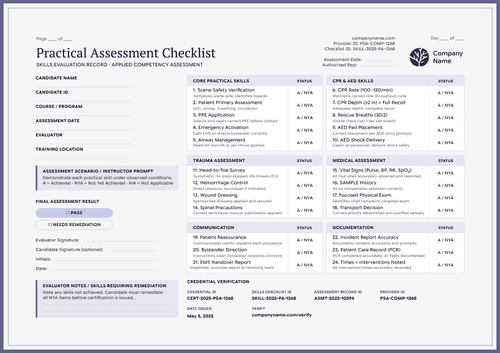
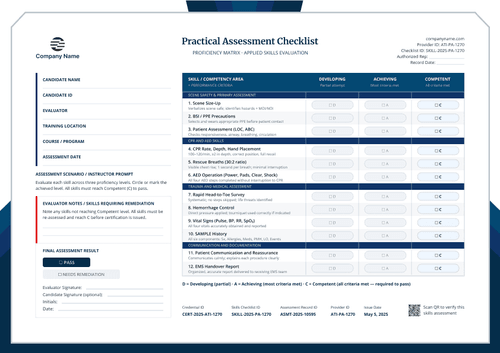
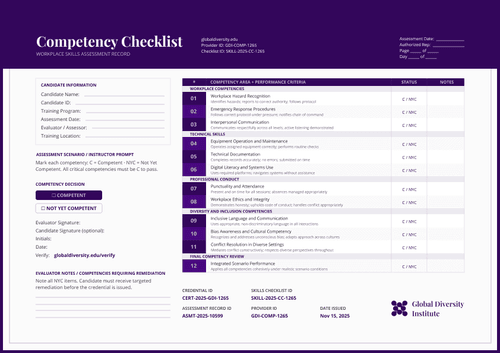
This yellow competency skills checklist gives instructors and assessors a detailed, multi-day way to observe and record a candidate's performance across grouped skill categories. The gold ornate border keeps the design formal, and built-in "Page __ of __" and "Day __ of __" fields make it easy to track a longer assessment across several sessions.
Open the design in Certifier's online editor to add your organization's logo and contact details, then map each skill and performance criteria row to your own competency program. Bundle it with a matching competency certificate so both are issued as one credential set.
Import recipient data from a spreadsheet or connect Certifier to the platform where you manage participant records. Each person receives a personal verification link to share with an employer or another school.
What is a competency skills checklist?
A competency skills checklist is a form an instructor fills out while watching a candidate perform specific skills, marking each step only when it's done correctly and to standard. This yellow design groups skill steps into categories, each with a performance criteria description, then ends in a final pass or remediation-needed result. All you need is a free Certifier account to customize, edit, and issue this design online.
This checklist pairs with a matching competency certificate, so a candidate gets one document showing exactly what was assessed and one short certificate for their file.
The layout is A4 and US Letter, portrait, and can run to more than one page for longer assessments.
What should this competency skills checklist include?
These are the fields shown in this design, not a fixed standard. You can map, add, or remove fields in Certifier's design builder to match your own competency program.
Static fields
- Provider header & contact block: Space for the issuing agency's name, logo, website, and contact email, plus provider and checklist ID labels.
- Page/day tracking fields: Fixed "Page __ of __" and "Day __ of __" labels, for assessments that run across more than one session.
- Assessment scenario prompt: Fixed instructor text explaining that each skill should be demonstrated under observed conditions and marked only when performed to standard.
- Skill table grouped by category: Fixed category headings, like Pre-Trip Safety and Vehicle Inspection, Vehicle Control and Maneuvering, On-Road Driving Skills, and Compliance and Documentation, each with numbered skill rows and a fixed performance criteria description.
- Evaluator notes prompt: Fixed instruction to note any skills not completed to standard, and that remediation is required before certification.
- Final assessment result checkboxes: Two fixed outcomes: PASS or NEEDS REMEDIATION.
- Signature lines: Space for the evaluator and an optional candidate signature.
Dynamic fields (automatically populated by Certifier)
- Candidate name, ID & program: The candidate's identity and the course or program they're being assessed for.
- Assessment date, evaluator & location: Who ran the assessment, when, and where.
- Skill-by-skill status & notes: A status mark and optional notes for each numbered skill step–the detailed evidence behind the final result.
- Final result & signatures: The pass or remediation-needed outcome, plus the evaluator's and candidate's sign-off.
- Credential, checklist, assessment record & provider IDs: Unique tracking numbers and a verification link tying the assessment to Certifier's issued record.
This design ships with a heavy-vehicle driving skill set, but the category headings and performance criteria are meant to be replaced. If you're using it for EMS training or another competency program, swap in your own skills and performance-criteria wording before you issue anything real.
How to issue this competency skills checklist
To automate the delivery of your transcripts and supplements, follow this simple, 4-step workflow:
- Customize the design and your branding - Open the yellow design, add your organization's logo and contact details, and replace the skill categories and performance criteria if you're not assessing heavy-vehicle driving.
- Bundle it with a matching companion document - Attach a competency certificate template so the checklist and the certificate are issued together as one credential set.
- Connect your tools - Upload a spreadsheet of candidates with Google Sheets, or connect Certifier to your training or LMS system like Canvas LMS or LearnDash. See all integrations.
- Review, issue, and verify - Have the evaluator mark each skill during the live assessment, then approve and issue the final record. Candidates can share their verifiable credential link or QR code.
Available competency skills checklist template formats to customize
Edit and issue the yellow checklist template online with Certifier
Open the design in Certifier's editor if you want candidate-specific data, direct email delivery, and a live credential page.
Download the yellow checklist template in Microsoft Word
Enter your email address to receive a ZIP with the editable Word file in A4 and US Letter, plus the fonts used in the design. This offline copy is for review or local editing.
PDF document export
Once a checklist is issued through Certifier, candidates can download a print-ready PDF from their email or verification page. Your organization can also bulk-export issued checklists as PDFs from the dashboard, within your plan's limits.
Who issues a competency skills checklist?
Commercial driver training centers
Authorized training centers may issue checklists from their approved practical assessment process. They should define the passing standard and retain the source evidence. The document should identify the responsible provider.
Qualified driving instructors and assessors
Approved instructors or assessors observe the candidate against the stated Performance Criteria. They record the Status values and remediation needs. Their identity should appear in the final checklist.
Fleet employers and training administrators
Employers or administrators may coordinate internal assessments under a controlled program. They should keep the checklist aligned with the relevant vehicle and work duties. A responsible assessor must approve the final result.
Frequently asked questions
Certifier templates are provided for general informational and design purposes only. They do not constitute legal, regulatory, accreditation, or academic-recognition advice and are not guaranteed to satisfy the requirements of any institution, recognition body, regulator, or jurisdiction. Using this template does not by itself make a document an official diploma supplement or prove a qualification. The issuing organization is responsible for verifying the content, authority, approvals, and suitability of every document before use. This template is not an official Europass document and does not guarantee recognition of a qualification.