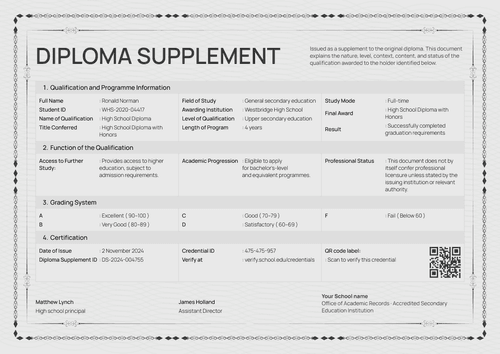
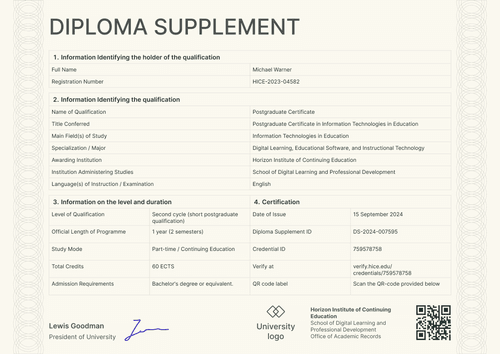
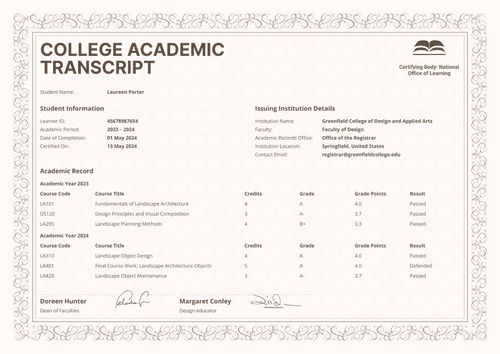
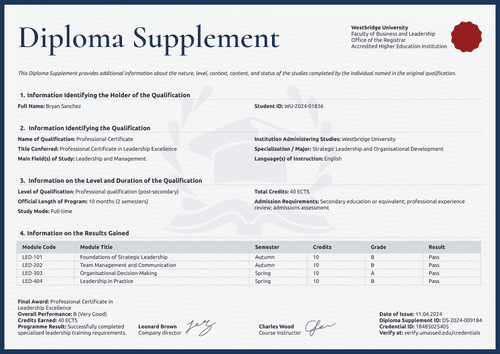
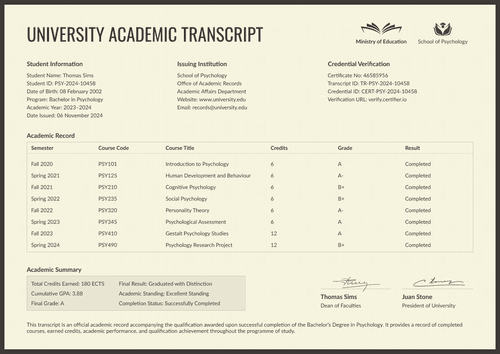
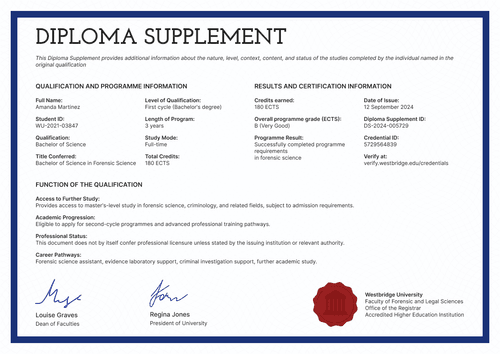
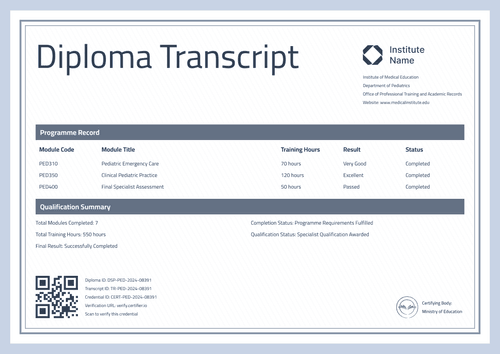
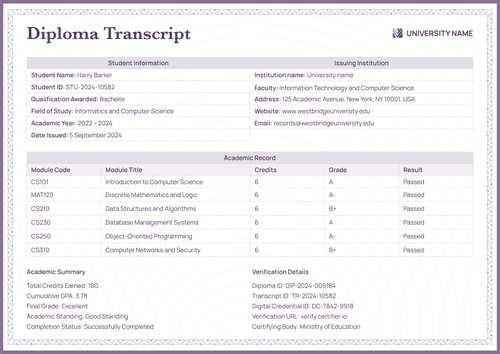
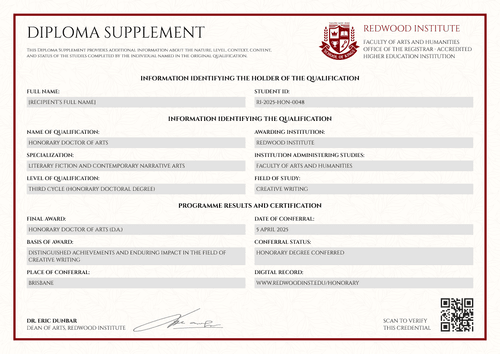
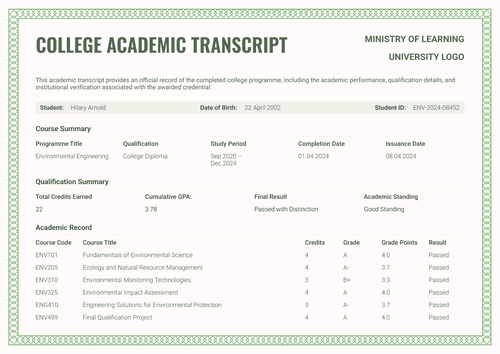
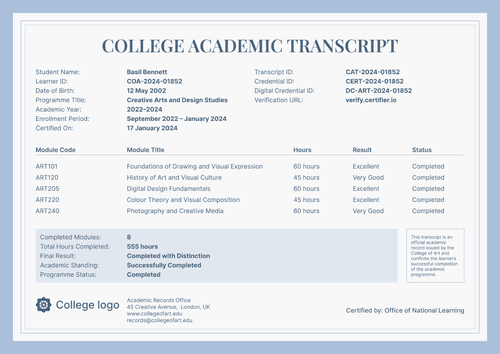
Professional gray university academic transcript template
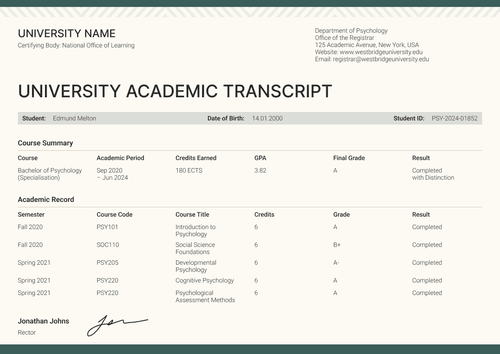
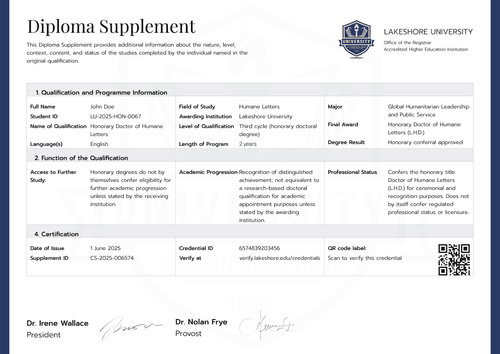
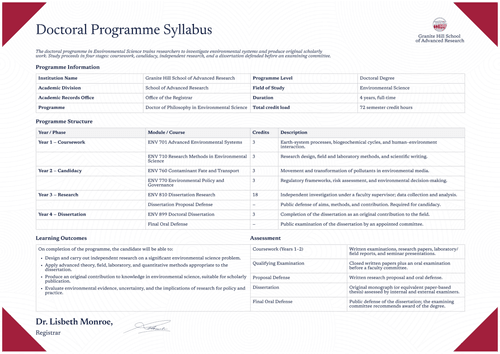
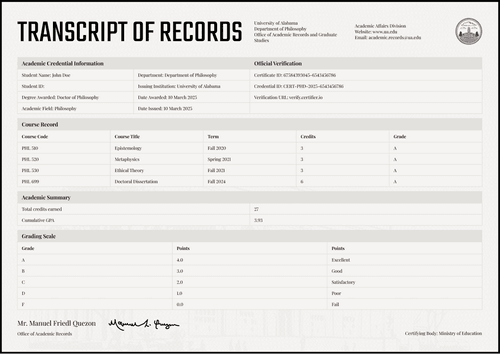
A university academic transcript with an ornate engraved border and a complete course table. Issue it with the graduation certificate as one verified credential.
Customize this template for free
Email and export in bulk
Track recipient engagement
Download in
Don't have Certifier account? Sign up
Free professional gray university academic transcript template
This free university academic transcript template frames the full course record in a fine-engraved border, in the tradition of formal university documents, while the content remains a working record that showcases student information, program details, courses, credits, grades, and totals.
It serves university registrars, college records offices, graduate schools, and authorized academic administrators who issue transcripts alongside a graduation certificate and want both to share one formal language.
Despite the ornamental frame, the layout looks clean and professional. Student, program, and verification details sit in three parallel blocks at the top. The course table runs beneath them, with a summary band that closes the record, showing totals, GPA, and the final result.
Need to issue academic transcripts for an entire graduating class? Import the records from a spreadsheet or connect your LMS and every document is prepared before commencement. Each student receives a personal verification link that they can pass to a graduate school or an employer.
What is a university academic transcript?
A university academic transcript is the complete course-level record of a higher education program of study. It shows what was studied, how it was graded, and what the totals add up to, in a form another institution can trust and check.
The design holds the complete record on a single page, from the identity blocks at the top through the course table to the summary band. Both pages are available in A4 (21 x 29.7 cm) and US Letter (8.5 x 11 in), in portrait and landscape orientations.
Use Certifier to issue the academic transcript alongside the matching graduation certificate as a single credential bundle with a single verification link. Sign up for a free account to access the editable academic transcript and start customizing your documents.
What should a university academic transcript include?
A transcript earns an institution's or employer’s trust by being complete. This design template includes the following elements:
Static fields
- Section Headings: Labeled blocks for student information, program information, credential verification, and academic record.
- Course Table Headers: Column set for the record: course code, course title, credits, grade, and result.
- Summary Band Labels: Fixed labels for courses completed, total credits, cumulative GPA, final grade, and final result.
- Validity Statement: Closing text stating the document is an official record, valid upon verification in the institution's system.
- Authorized Signature Areas: Two designated spaces for signatory names and roles.
Dynamic fields (automatically populated by Certifier)
- Student Name & Student ID: Identity fields for the graduate (e.g., ISU-JRN-2024-06152).
- Date of Birth: Labeled field supporting identity matching (e.g., 18 October 2001).
- Academic Year & Mode of Study: Fields covering the study period and attendance pattern (e.g., 2021–2024; Full Time).
- Completion & Award Dates: Paired date fields closing the program (e.g., 06 March 2024).
- Program Title & Code: Fields naming the qualification (e.g., Bachelor in Journalism, JRN-BJ-2020).
- Faculty & Institution: Fields for the administering faculty and awarding institution.
- Duration & Credits Required: Program parameters (e.g., 3 years; 180 ECTS).
- Course Code & Title: Row-level identifiers for each course taken (e.g., JRN490, Journalism Capstone Project).
- Credits, Grade & Result per Course: Row values recording weight, mark, and outcome (e.g., 12 credits, A, Completed).
- Courses Completed & Total Credits: Summary counts for the record (e.g., 30 courses; 180 ECTS).
- Cumulative GPA & Final Grade: Assessment values in the summary block (e.g., 3.85; A).
- Final Result: Text field restating the program outcome (e.g., Completed with Distinction).
- Diploma ID & Transcript ID: Verification tracking codes (e.g., JRN-2024-06152; TR-JRN-2024-06152).
- Credential ID & Verification URL: Unique live verification page link (e.g., CERT-JRN-2024-06152).
- Certified-by Line: Field naming an external certifying office (e.g., Office of National Learning).
- Signatory Names & Date Signed: Fields for both signatories and the signing date (e.g., Dean of Faculties; 06 March 2024).
The list describes the design above, but it doesn’t represent a universal transcript standard. You can rename, move, or delete every field in Certifier's design builder.
How to issue a university academic transcript
Here’s how you can customize and issue a university academic transcript using Certifier:
- Set up the design for your university — Pick the size and orientation, then upload your crest, seal, and both authorized signatures. Select the dynamic text blocks covering student details, course grades, and the summary block.
- Bundle it with the matching graduation certificate — Link the transcript to the graduation certificate so that the celebration document and the full record leave your office together.
- Upload student data — Whether you use internal spreadsheets or rely on our native integrations with LMS apps like Canvas, Moodle, and LearnDash, filling out the design with approved data takes no time.
- Issue, deliver, and verify — Certifier issues and emails a personalized transcript to each student automatically. Recipients can download their academic transcript or share it online through its verification link.
- Check credential engagement and fix data errors — The Credential Repository shows email opens, credential views, downloads, and shares for every transcript issued. Correct a student's details without reissuing or impacting the whole batch. The public record reflects the change immediately.
Available university academic transcript template formats to customize
Edit and issue the template online with Certifier
Editing the design in Certifier gives you instant access to student-specific data, direct inbox delivery, and a live credential page for every academic transcript you issue.
Download the university academic transcript template in Microsoft Word
Working in your own files or keeping a copy inside the registrar's office? Add your email address and get a ZIP file of customizable Word documents in both portrait and landscape orientations, in A4 and US Letter sizes.
PDF document export
Once issued, each transcript doubles as a print-ready PDF that students and records staff can pull straight from the delivery email or the credential page.
Who issues university academic transcripts?
University registrars
Registrars choose this design when the transcript should visually match a formal diploma, border to border, while staying a complete working record.
Graduate schools
Graduate admissions receive a complete course record in one document, with credits, grades, and totals laid out where they expect to find them.
College records offices
Records offices issue it as the free academic transcript template in their set, with the graduation certificate carrying the achievement and this document carrying the proof.
Frequently asked questions
Certifier templates are provided for general informational and design purposes only. They do not constitute legal, regulatory, accreditation, or academic-recognition advice and are not guaranteed to satisfy the requirements of any institution, recognition body, regulator, or jurisdiction. Using this template does not by itself make a document an official diploma supplement or prove a qualification. The issuing organization is responsible for verifying the content, authority, approvals, and suitability of every document before use. This template is not an official Europass document and does not guarantee recognition of a qualification.